How to teach a child to find bugs in a program (debugging for kids)
Debugging matters more than writing code. How to teach a child to predict, trace a program step by step and test it at the boundaries — without frustration.
Updated:
Every programmer spends more time hunting bugs than writing new code. For a child that's great news: debugging teaches patience, precision and cause-and-effect thinking — and it shows along the way that mistakes are a normal part of the work.
Three habits of a good “detective”
- Predict before running. “What will the program print?” If the result doesn't match, there's something to check — in the program or in our reasoning.
- Trace step by step. Pause the program and look at the values of the variables. Where does something first go wrong?
- Check the boundaries. The middle usually works. Bugs sit where the program “changes its mind”: at 0, at the last item, exactly at the threshold.
A mistake is a hint
The worst thing you can do is turn a mistake into a punishment. A ladder of hints works better: first a short note on what's missing, then pointing to the spot, and only at the end making the first move for the child. The child does the rest.
The reverse task: break the program
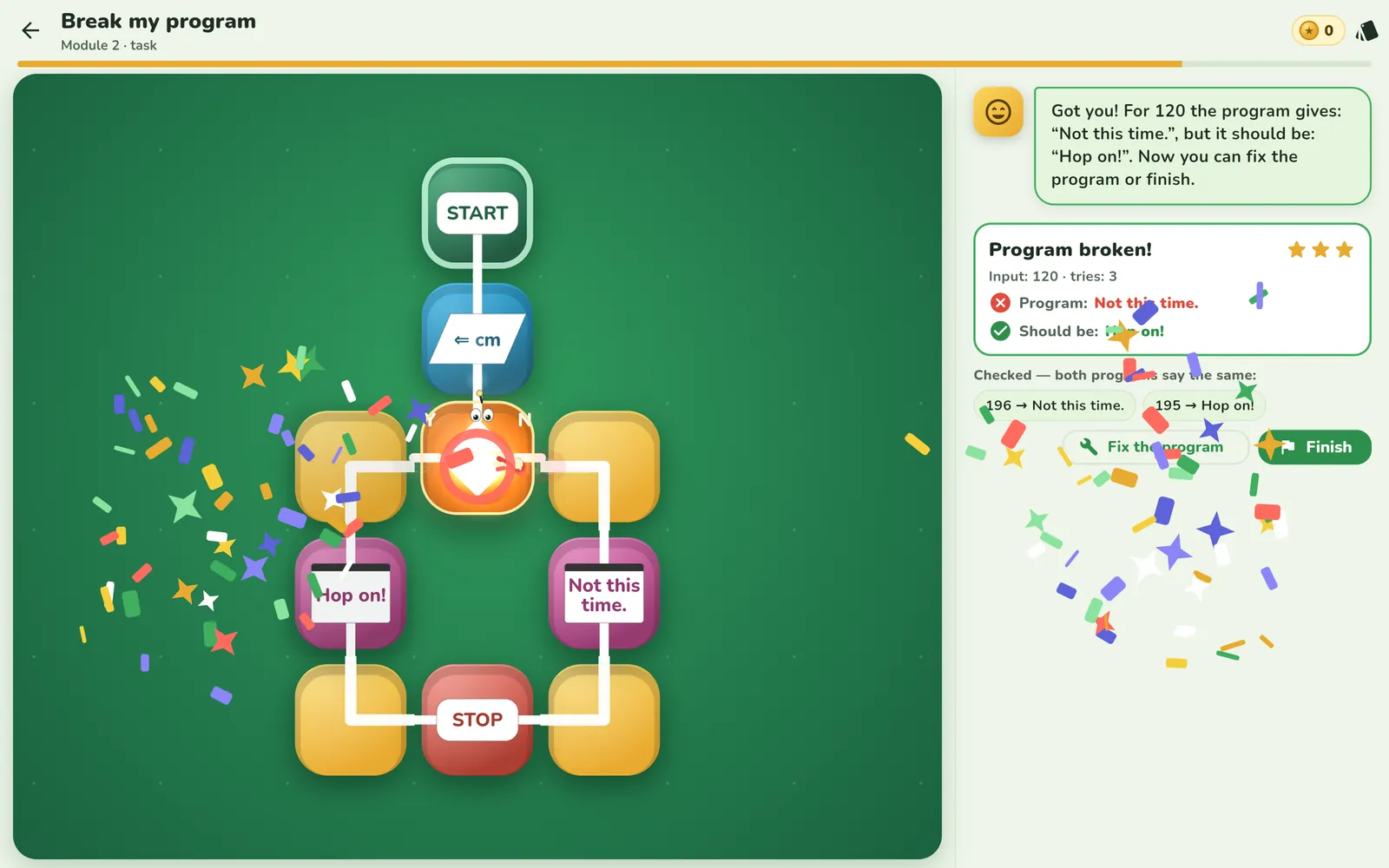
A great exercise for older children: the program is finished but has a hidden bug. The goal isn't to fix it, but to find an input it gets wrong. In Looponi this is the lesson “Break my program”: the program should let in people from 120 to 195 cm. At 195 and 196 it behaves — but at 120 it says “Not this time.” when it should say “Hop on!”. The child learns to think like a tester.
Rewinding time
It also helps to have a tool where a program run can be scrubbed like a film. Variables rewind along with the token, so you can see the exact step where a value stopped adding up. A bug becomes a place on the board, not a red “wrong”.
Frequently asked questions
What is debugging?
Finding and fixing mistakes in a program. It means checking where the program did something other than what we wanted, and why.
How should I react when my child makes a mistake?
Treat the mistake as information, not failure. A question like “where did the program do something different from what you expected?” helps more than a verdict of “wrong”.
What are edge cases?
Inputs that sit exactly on the boundary of a condition, for example 120 cm when a program should let in people “from 120 cm”. That's where bugs hide most often.