Loops in programming: how to explain them to a child
What a loop is, why it needs a stop condition and why the counter has to change. Simple examples, games and tasks about loops for school-age children.
Updated:
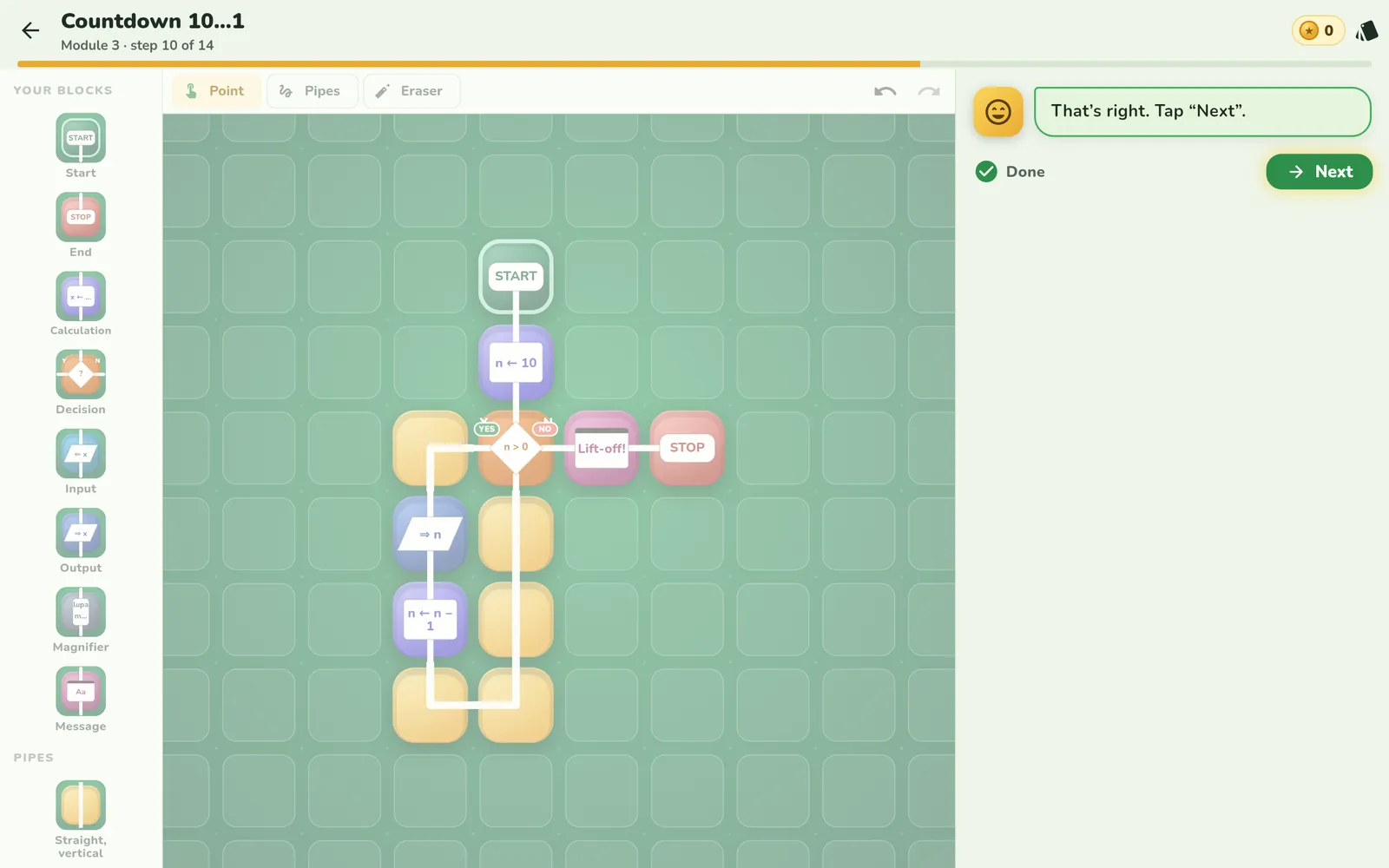
A loop is a path that turns back. The program reaches a certain point, returns to an earlier step and does the same thing again. Children know this from everyday life: “stir until the soup is smooth”, “clap three times”.
Two kinds of loops
- Repeat N times. The number of repetitions is known in advance: three laps, ten jumps. For the youngest it's a “roundabout” with dots that show the laps.
- While… The loop checks a condition on every turn: “while the way is clear, drive”. We don't know in advance how many times it will run.
The stop condition and the counter
Every “while” loop needs two things:
- A question that ends the loop — for example
n > 0?. - Something that changes inside — for example
n ← n − 1.
If the counter doesn't change, the condition is always true and the program goes round forever. It's one of the most important bugs to understand — and it's best if the child sees it for themselves.
Loop games
- Countdown. The child counts down from 10 to 1, taking a step each time. When do we stop? What would happen if we forgot to subtract 1?
- Rhythm. Clap, stamp, clap — and repeat three times. Which part repeats?
- Guessing. Before the loop starts, the child guesses how many times it will go round. Then they count.
A loop you can see
In Looponi's lesson “Countdown 10…1” the child draws the most important pipe themselves: from the bottom of the loop back up to the decision. Then they guess how many times the loop will go round, and watch its tiles heat up with every turn. When a loop runs forever, the rails turn red — the bug shows on the board before it needs a name.
Frequently asked questions
What is a loop in programming?
It's a part of a program that runs many times. On a flowchart it looks like a path that turns back to an earlier point.
Why can a loop run forever?
Because the condition that ends it never stops being true. Most often nothing changes inside the loop — for example the counter doesn't go down.
What's the difference between “repeat 3 times” and a “while” loop?
The first has a number of repetitions known in advance. The second checks a condition every time and only ends once the condition is no longer true.