Try it

Teaches thinking step by step, before any code.

Children lay out a program like a train route, predict what will happen, then watch a token travel through every step. That builds a habit: plan first, then check, and when something doesn't work, find the spot where it goes wrong.

order of stepsdecisionsloopsvariablesdebuggingtesting

What it teaches

The same ideas, deeper each time.

Every idea comes back several times: in pictures for the youngest, then as blocks with conditions, and finally in a real algorithm. Pick an idea or keep scrolling.

How it teaches

Second graders build a maximum algorithm.

The lesson “The biggest pumpkin” from the Autumn Fair: pumpkins are weighed one by one in a roundabout, and a switch asks whether each one is heavier than the record. A loop, a decision and a variable, built from pictures. Every lesson follows the same rhythm.

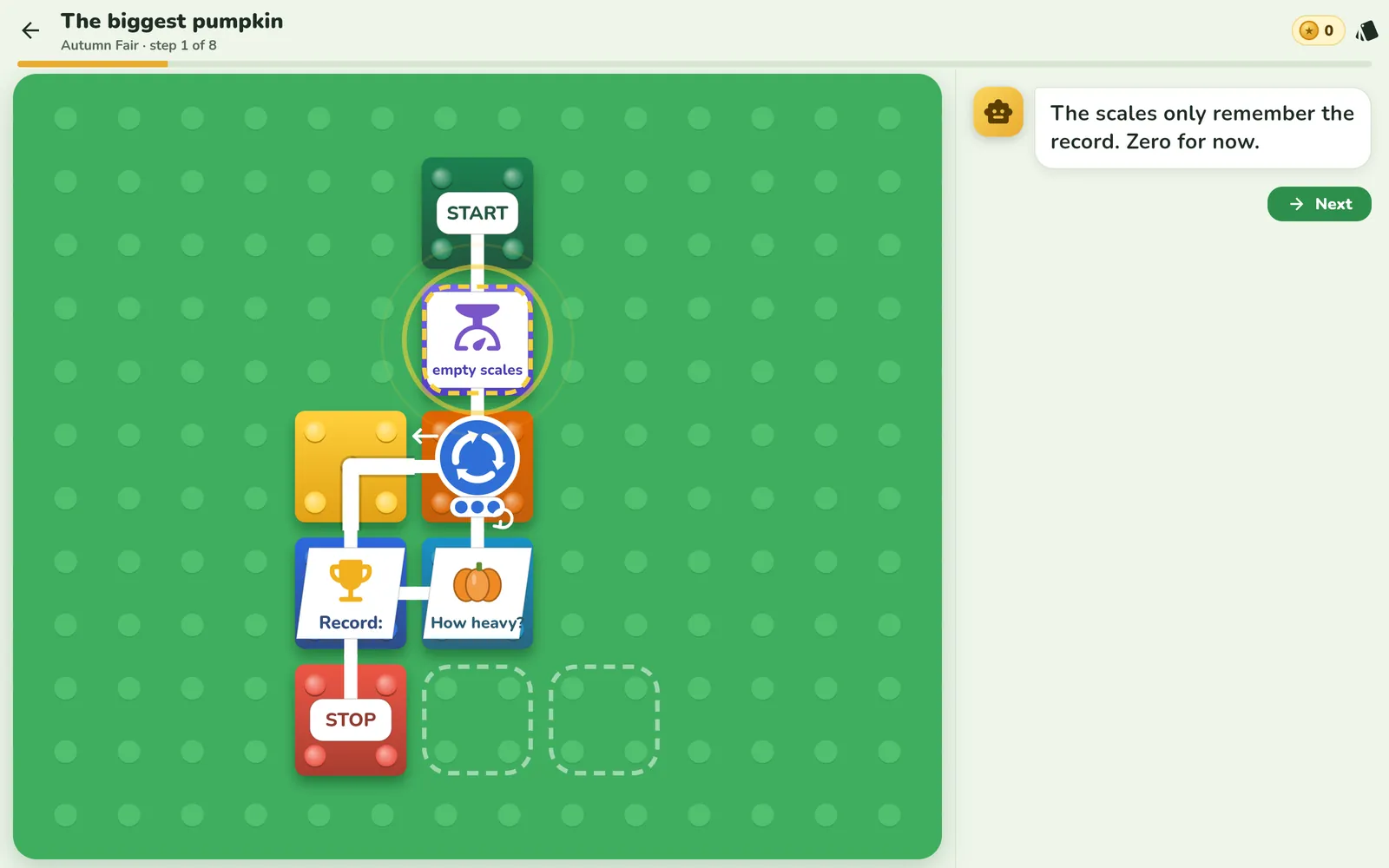
Starting board: empty scales, a roundabout, the Record board and a “How heavy?” station

ideaThe scales remember only the record, zero for now. That's the first variable.

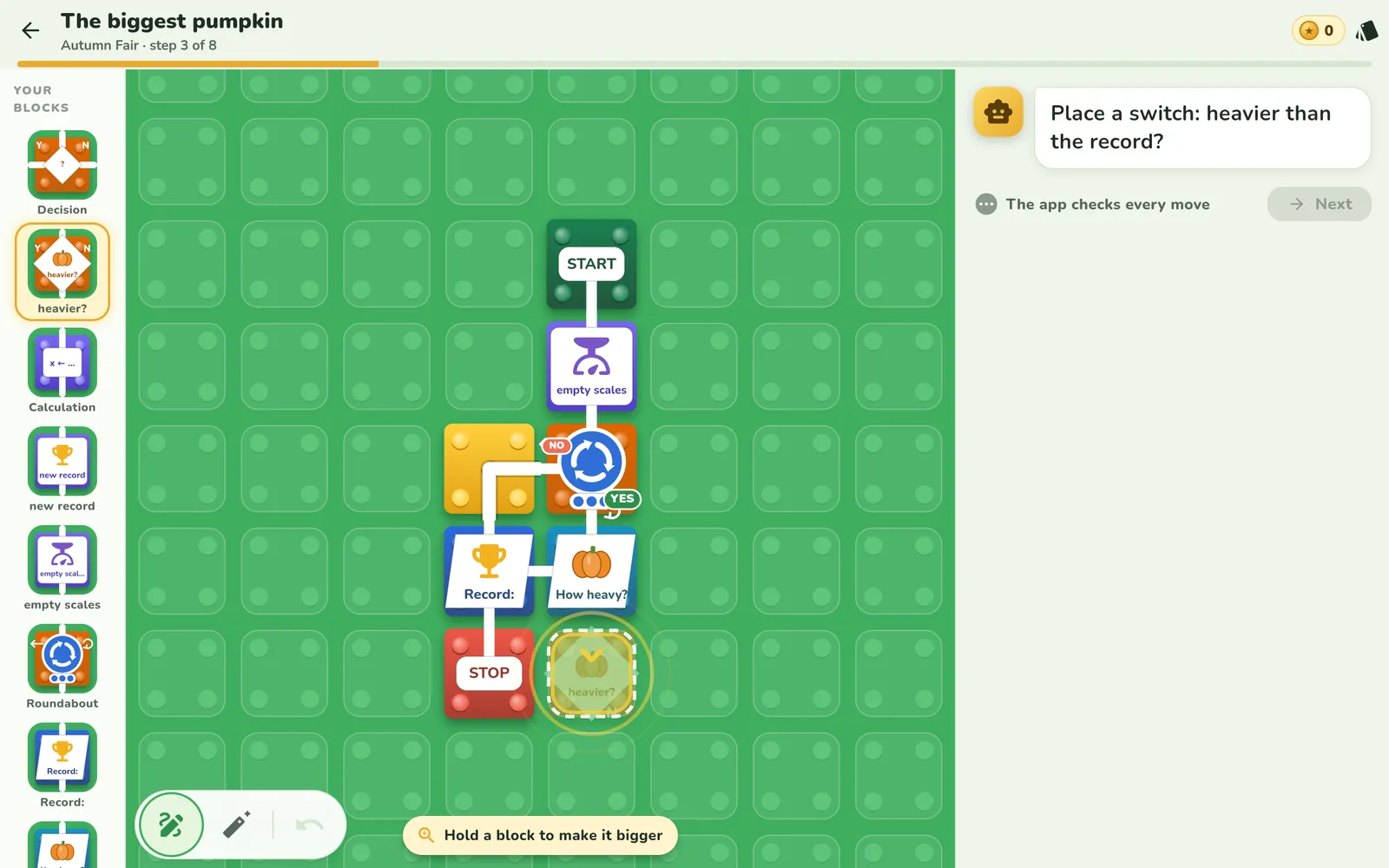
An outline shows where to place the “heavier?” switch

build with meAn outline shows where to place the switch: heavier than the record?

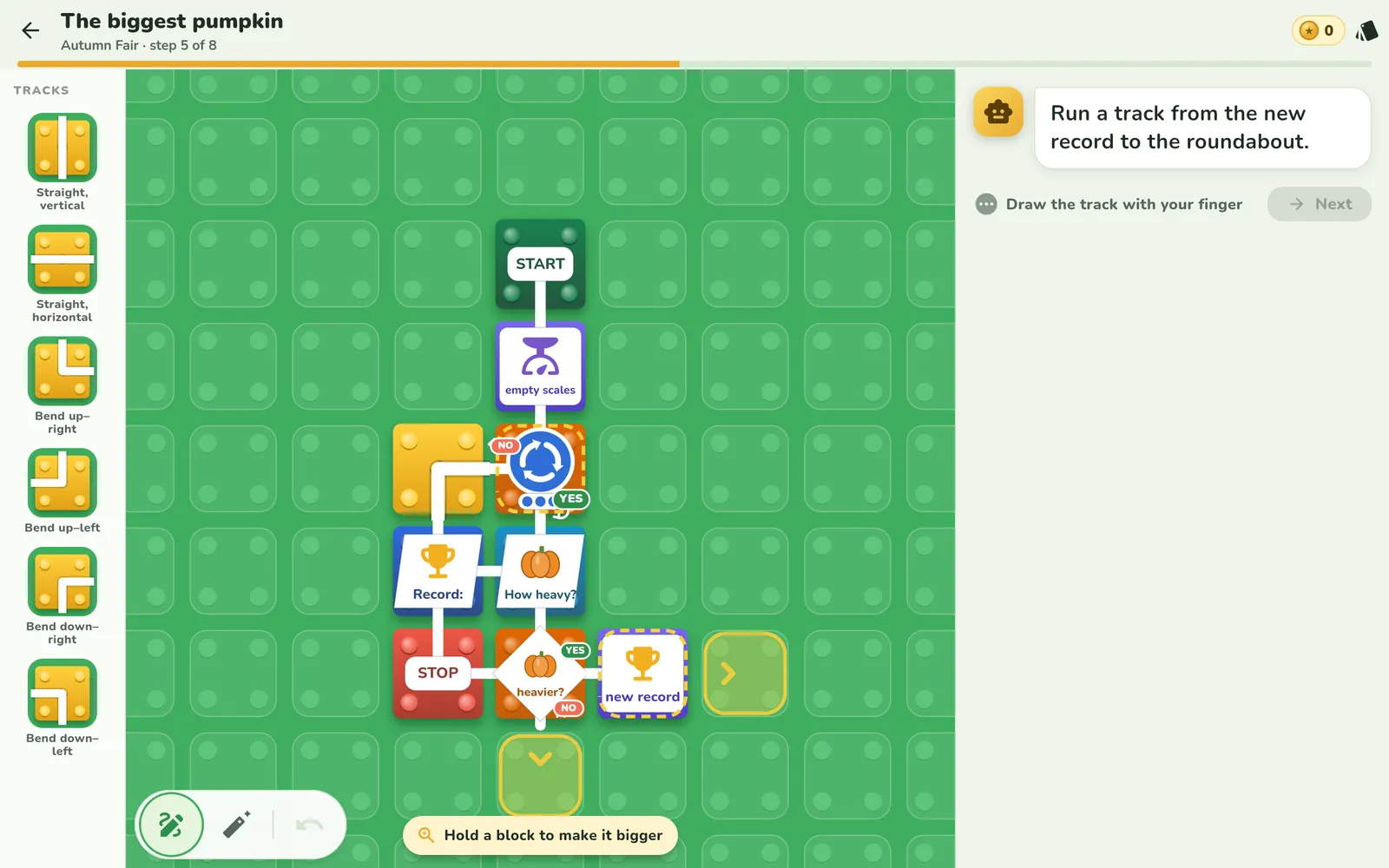
The track from the new record leads back to the roundabout

connectThe track from “new record” goes back to the roundabout. That's how a loop is made.

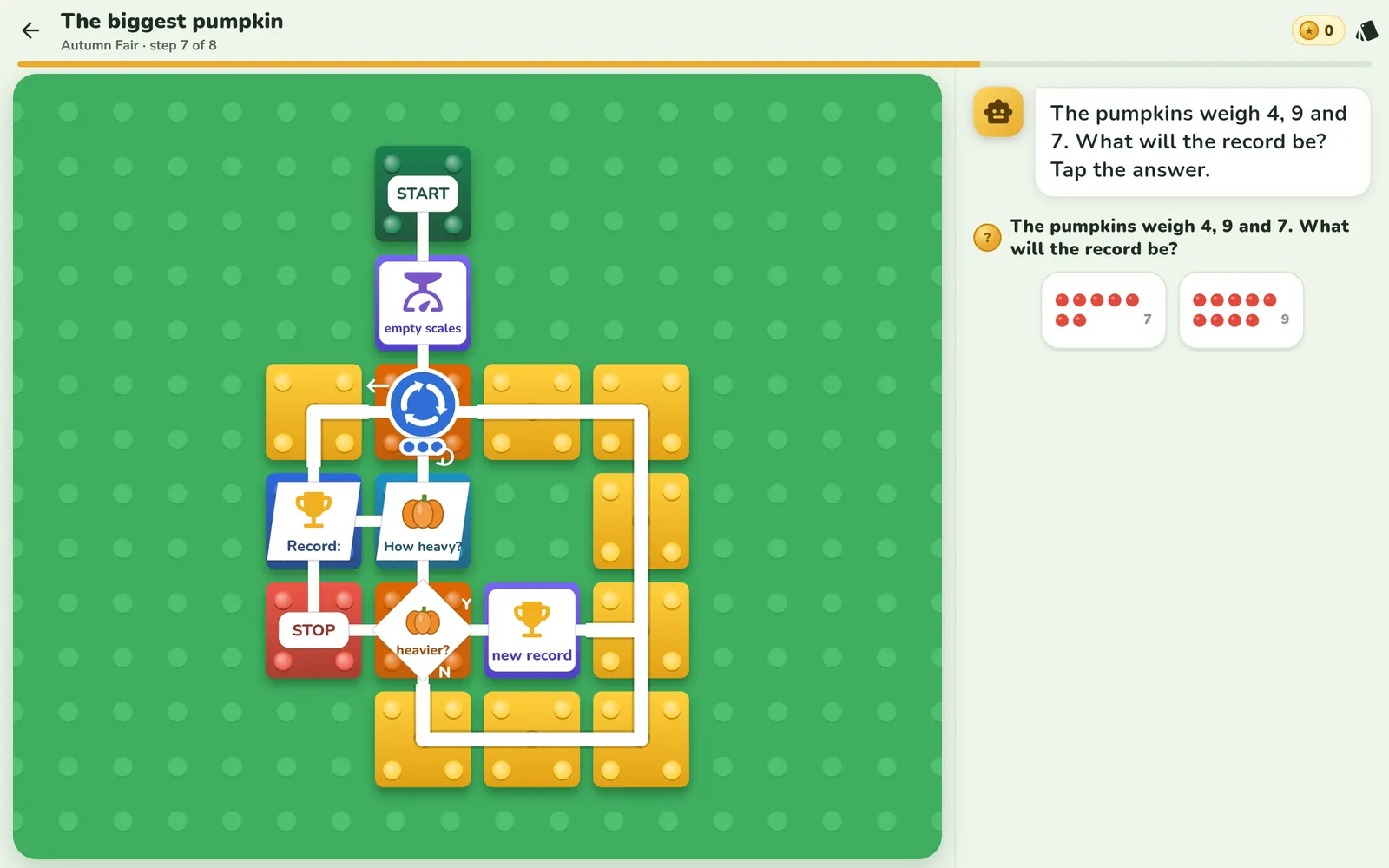
Question: the pumpkins weigh 4, 9 and 7. What will the record be? Answers as dots: 7 or 9

predict“The pumpkins weigh 4, 9 and 7. What will the record be?” The answer comes before the run.

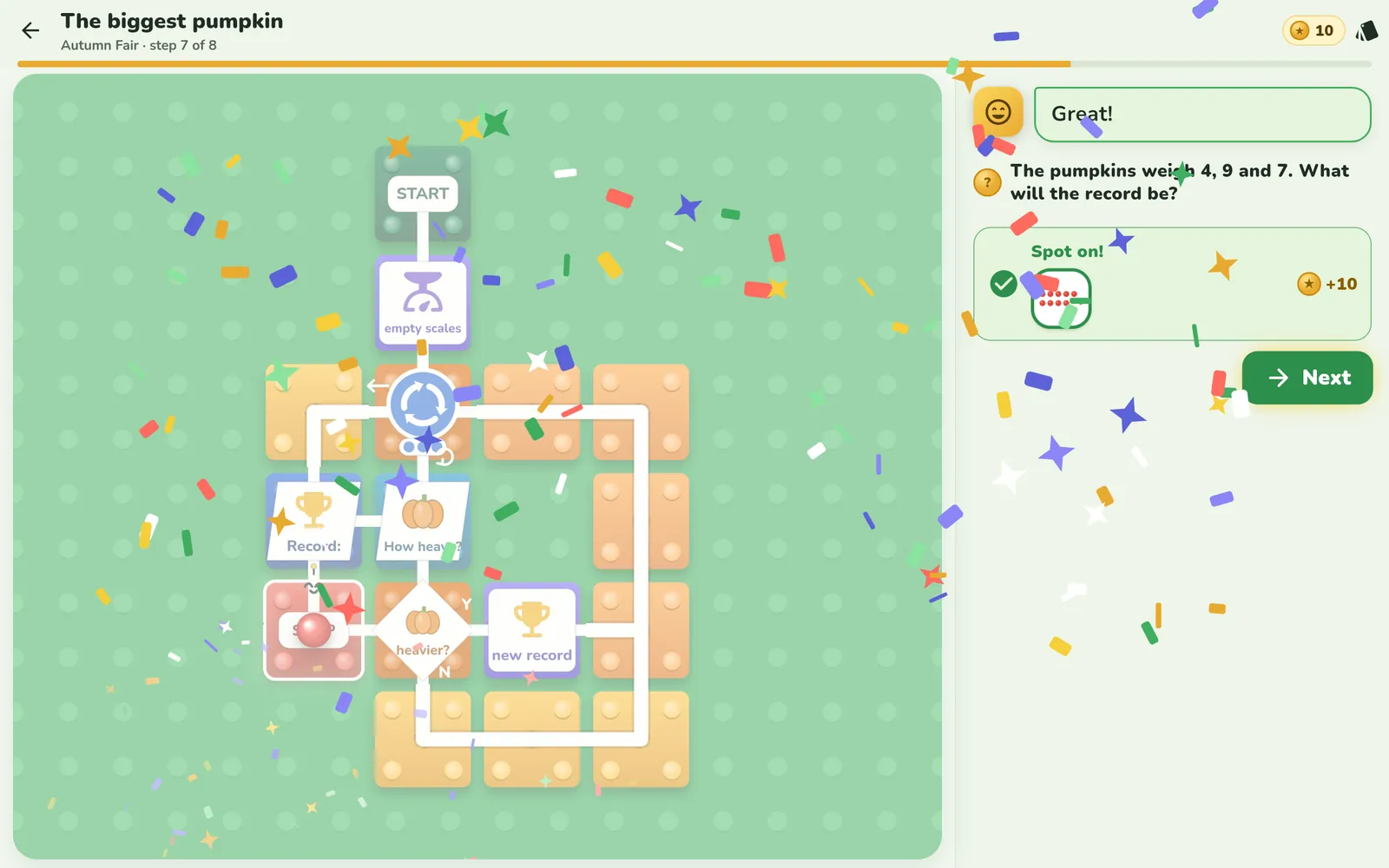
Correct answer 9 and confetti

checkCorrect: 9. Predicting is half of thinking.

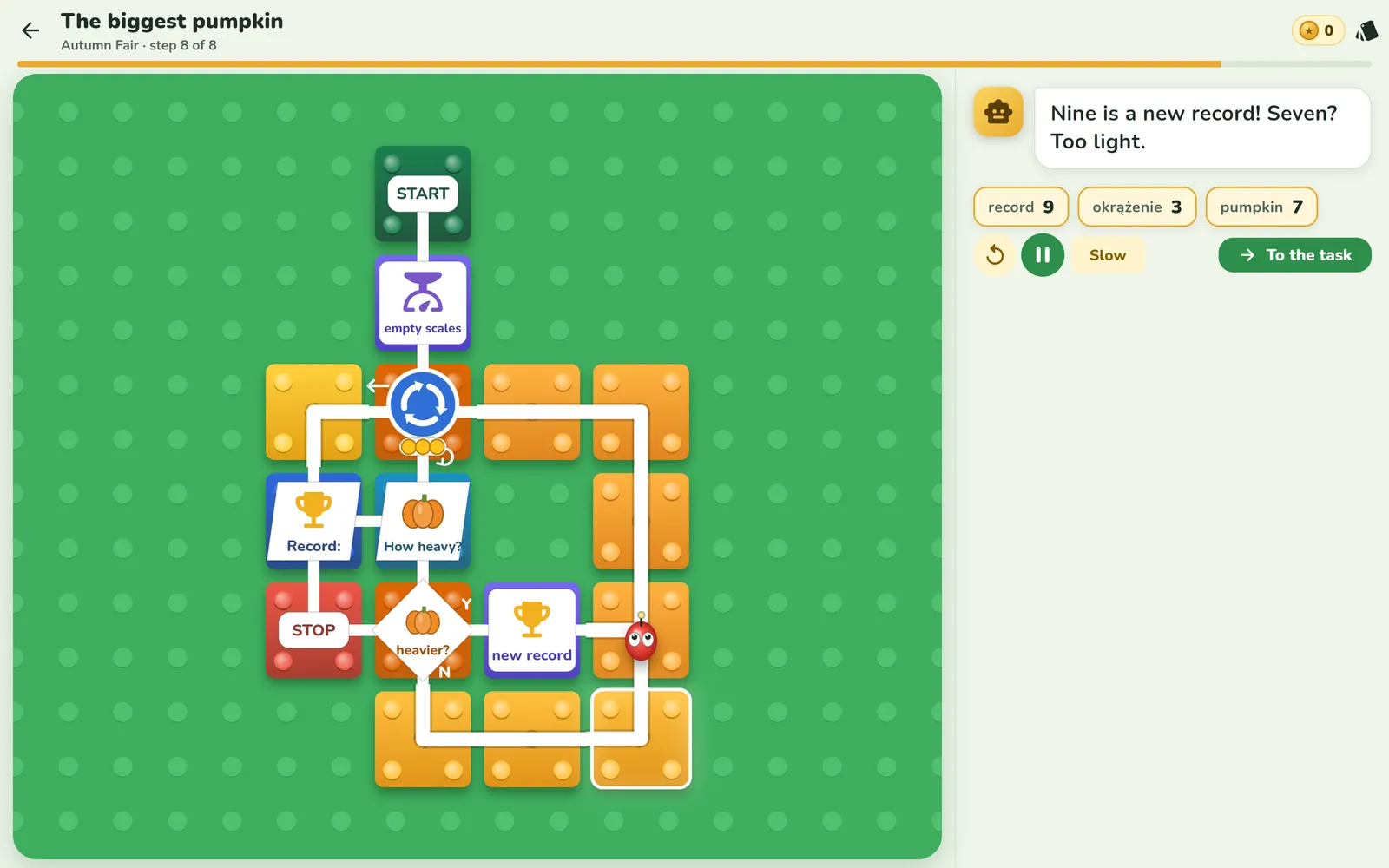
The run: record 9, lap 2

watch“Nine is a new record! Seven? Too light.” You can see the laps and the record.

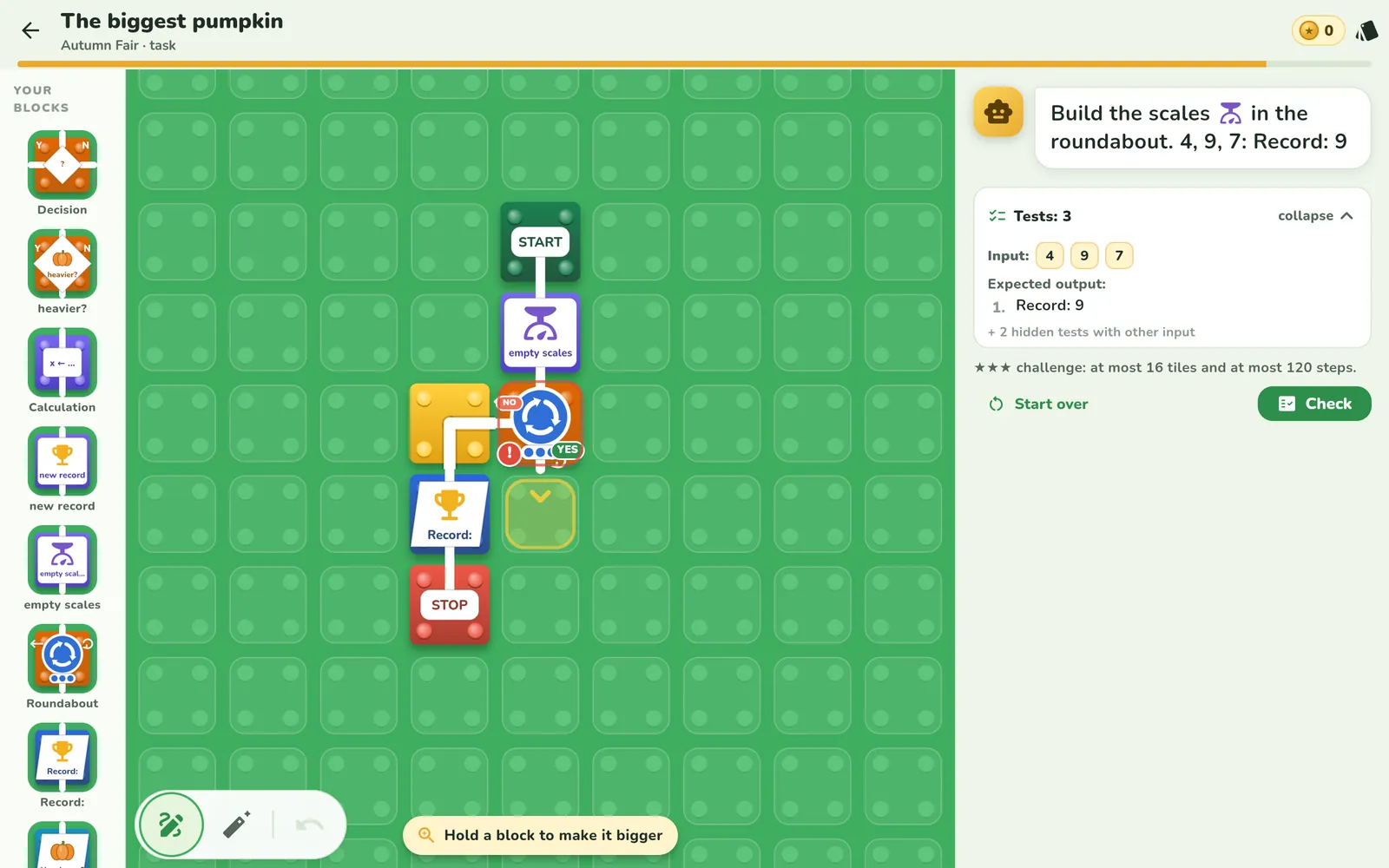
Task: build the scales in a roundabout, 3 tests

on your ownA task from scratch. The app checks three sets of pumpkins, not whether the board looks like a model answer.

When something goes wrong

A mistake is a hint, not a punishment.

That's how the track for grades 1–3 guides the youngest. Older children get hints from the tutor, stepped the same way.

1st mistake“Let's try again!” plus one sentence on what's missing.
2nd mistakeAn outline on the board shows where to look.
3rd mistakeByte makes the first move, the child does the rest.

Repeats so it sticks

Once a day, one old task comes back.

Byte's Replay is just the task from a lesson a few days ago, with no hints. A success pushes the next one further away, a miss brings it back sooner. That's spaced practice: knowledge lasts longer than after a single go.

lessontoday+3days+7days+21days+60days

Didn't work out? The task comes back after 2 days. Parents can turn reviews off.

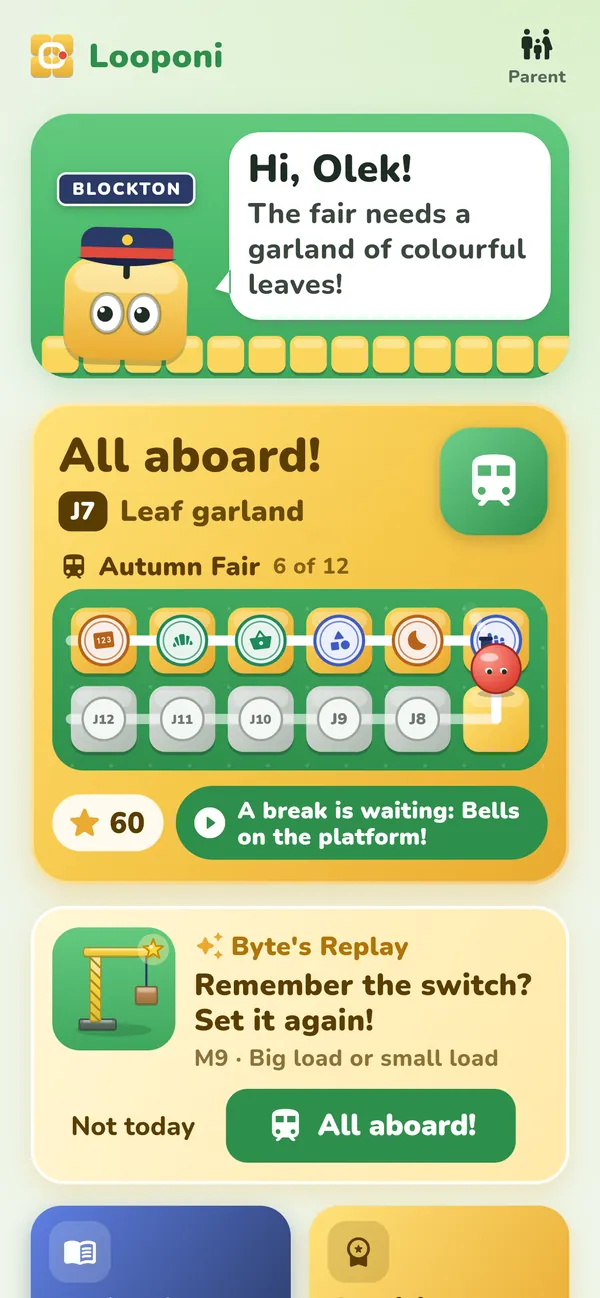
Home screen with the card “Byte's Replay: remember the switch? Set it up again!”

Sees how much they know

Every lesson adds something to the town.

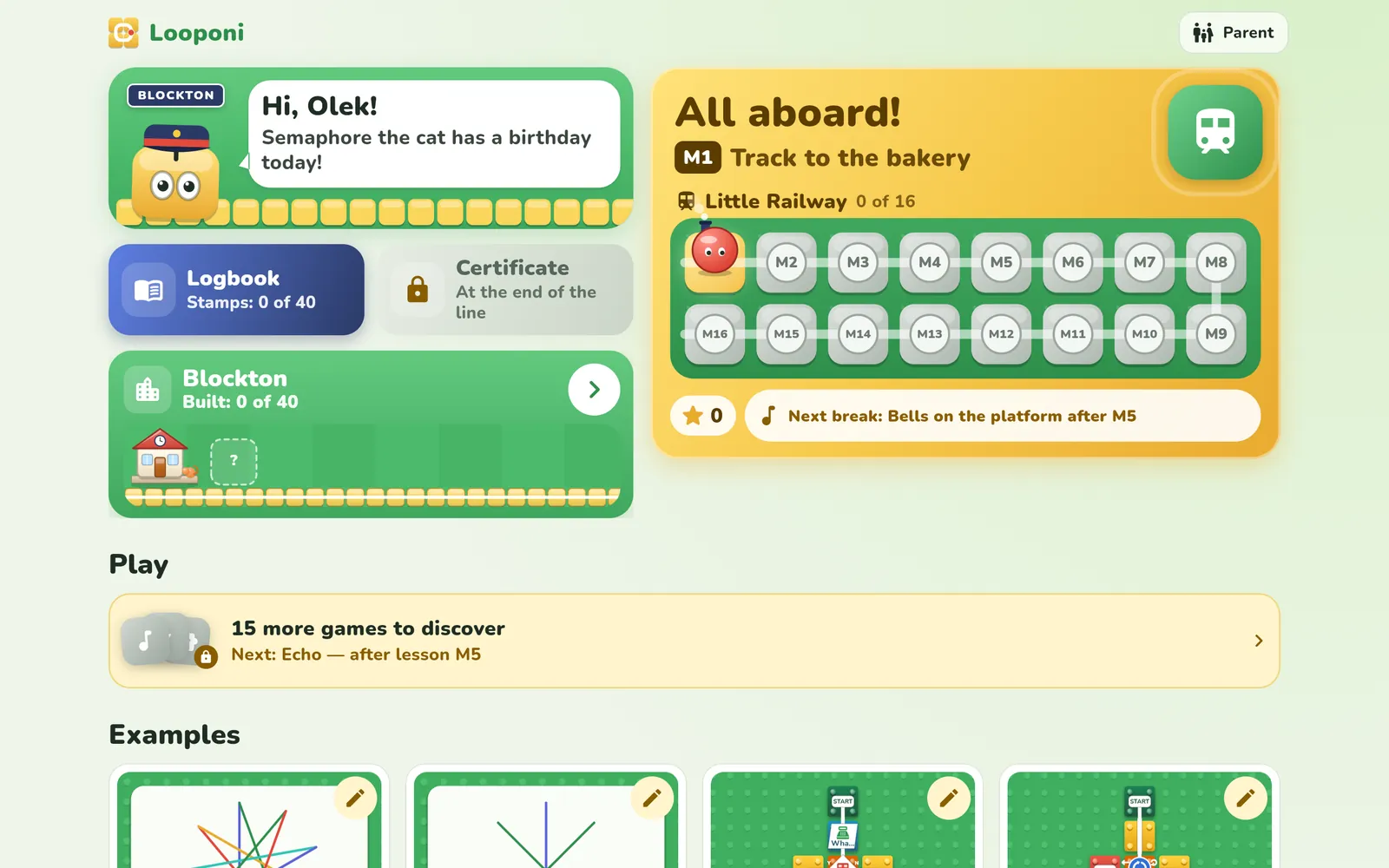
A completed lesson leaves a building, bridge or station in Blockton, stamped with that lesson. New districts emerge from the mist, and every route adds a carriage. Progress is a place the child has built, not a percentage on a bar.

Builds a loop

A loop is a track that turns back.

In the lesson “Countdown 10…1”, the child lays the most important pipe: from the bottom of the loop back up to the decision. Then they guess how many times the loop will go round, and watch its tiles heat up with every turn.

  • The decision guards the loop. It asks “n > 0?” on every turn.
  • The counter has to change. Without n ← n − 1 the token would go round forever.
  • Guess first, then check. 10 turns? Correct.

Predicts, then checks

“What do you think it will print?”

That question comes before the run. Then the program shows what really happens: the token glides along the tracks and the loop tiles heat up with every lap. The child isn't guessing, they're checking their own reasoning.

how many times will the loop go round?predict: laps
which way will it go?predict: YES or NO
GCD = ?predict: result for 48 and 18

Hunts for the bug instead of giving up

Rewinds time to see where it went wrong.

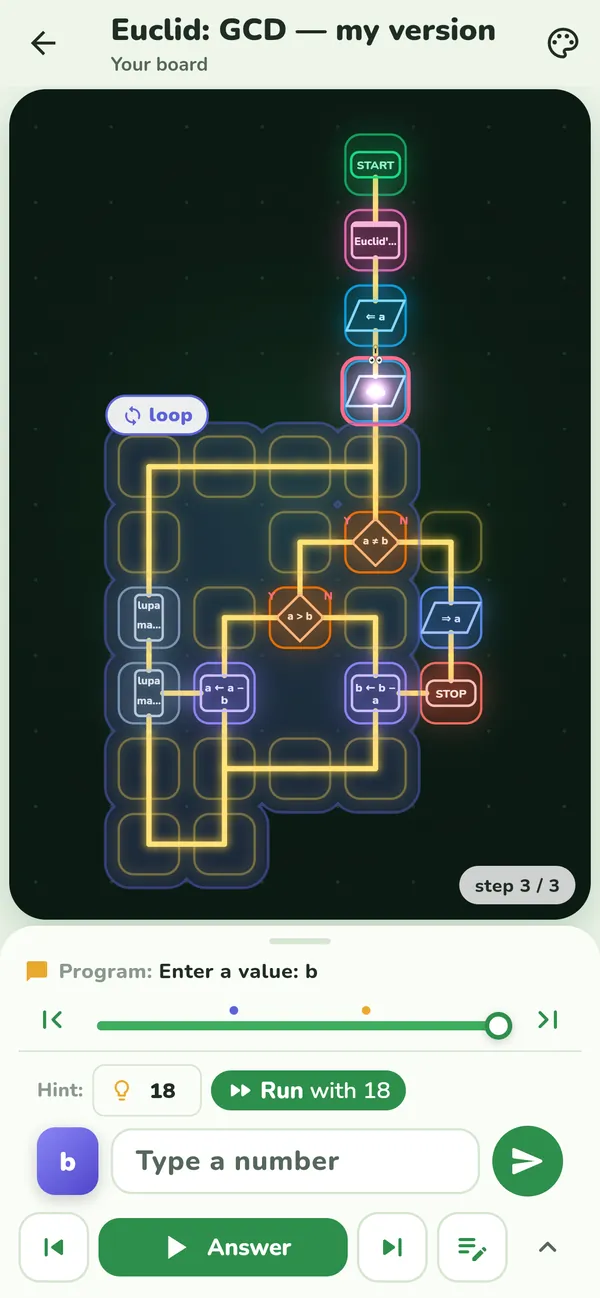
A run can be scrubbed like a film. Variables rewind along with the token, so you can see the exact step where a value stopped adding up. A bug is a place on the board, not a red “wrong”.

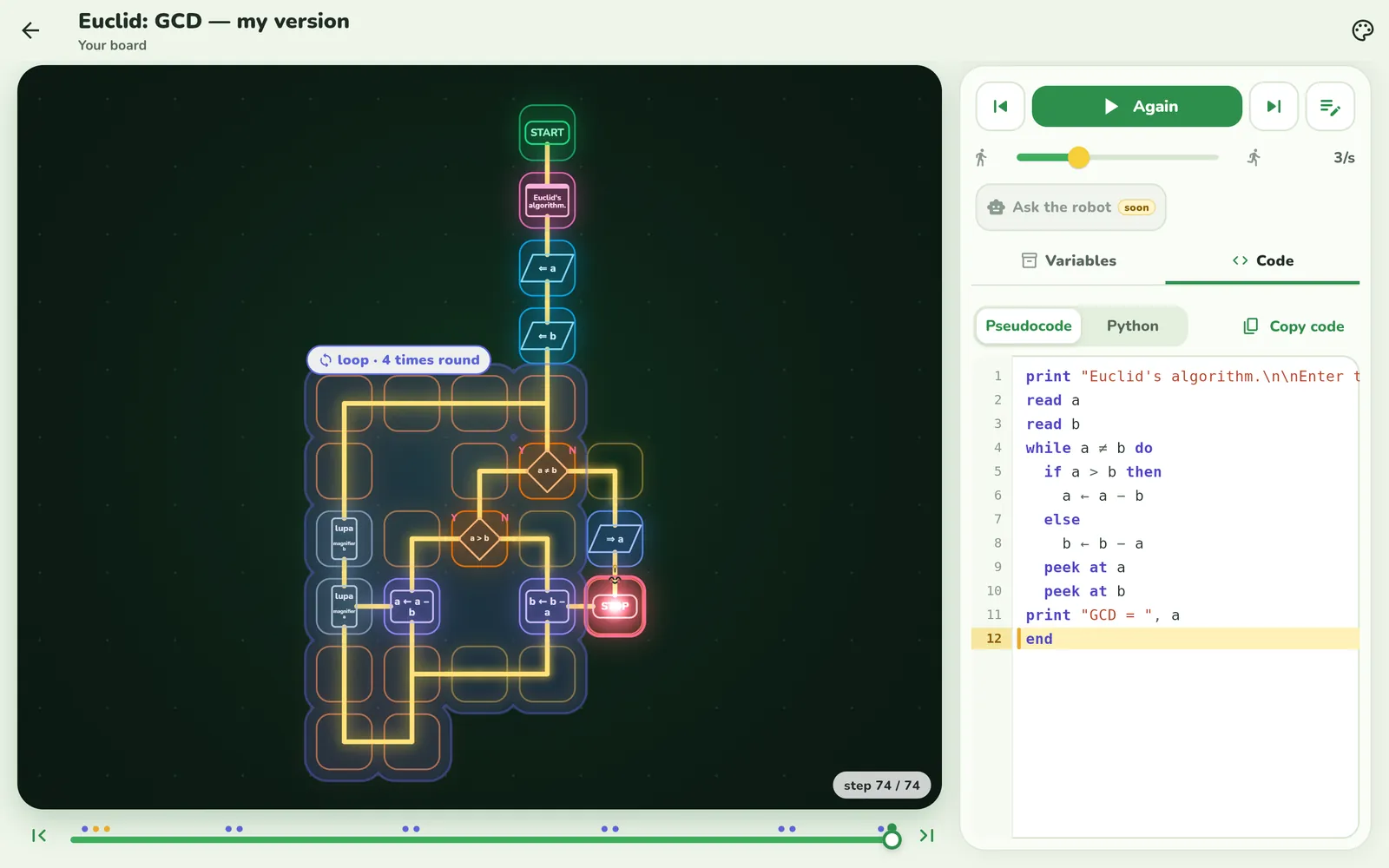
input48, 18steps74resultGCD = 6
⏮⏭

Tests like a programmer

The reverse task: break my program.

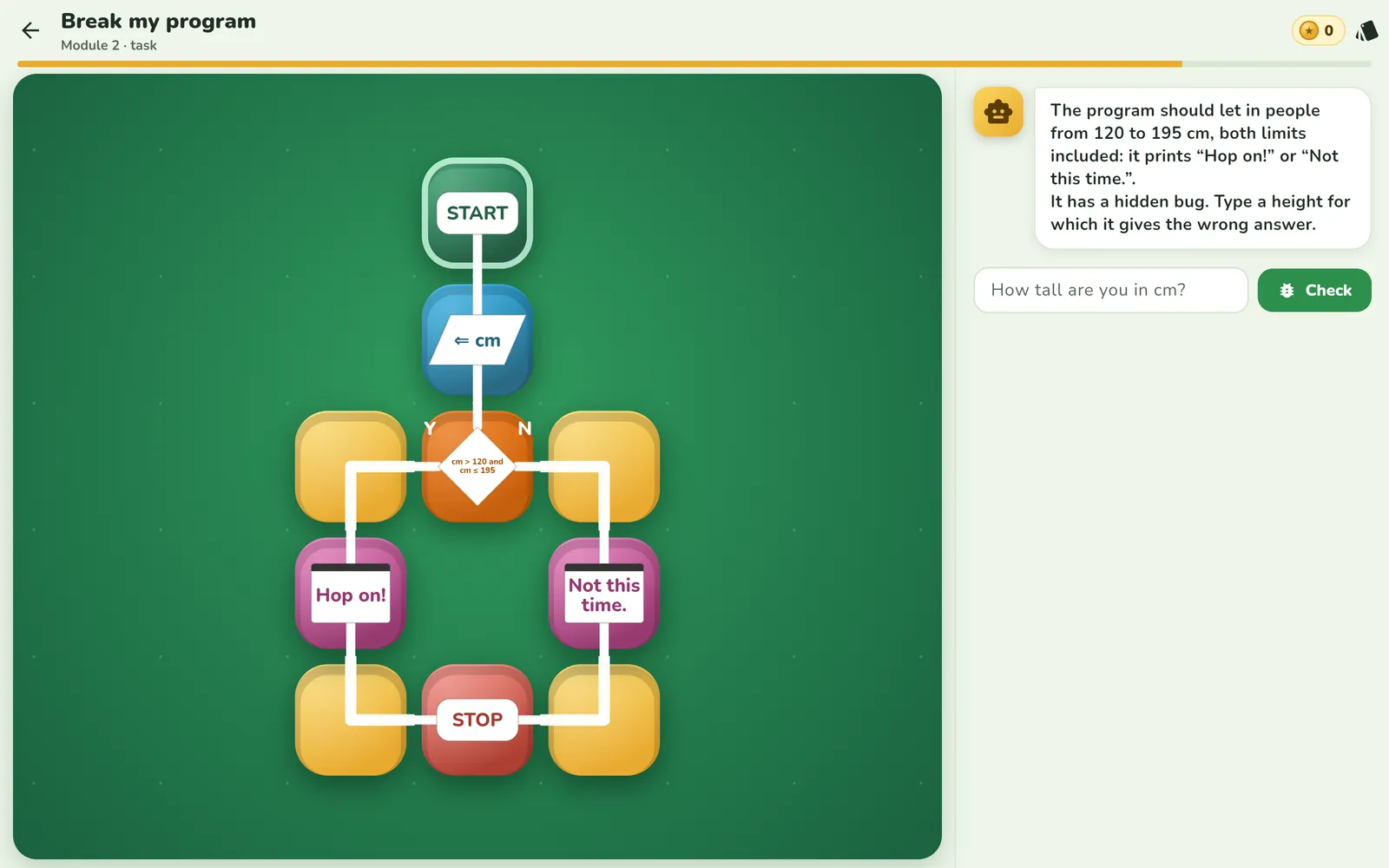
The program is finished but has a hidden bug. The job is to find an input it gets wrong. The middle and the extremes work, so a tester looks where the program changes its mind: at the boundaries.

Task: the program lets in people from 120 to 195 cm, but has a hidden bug
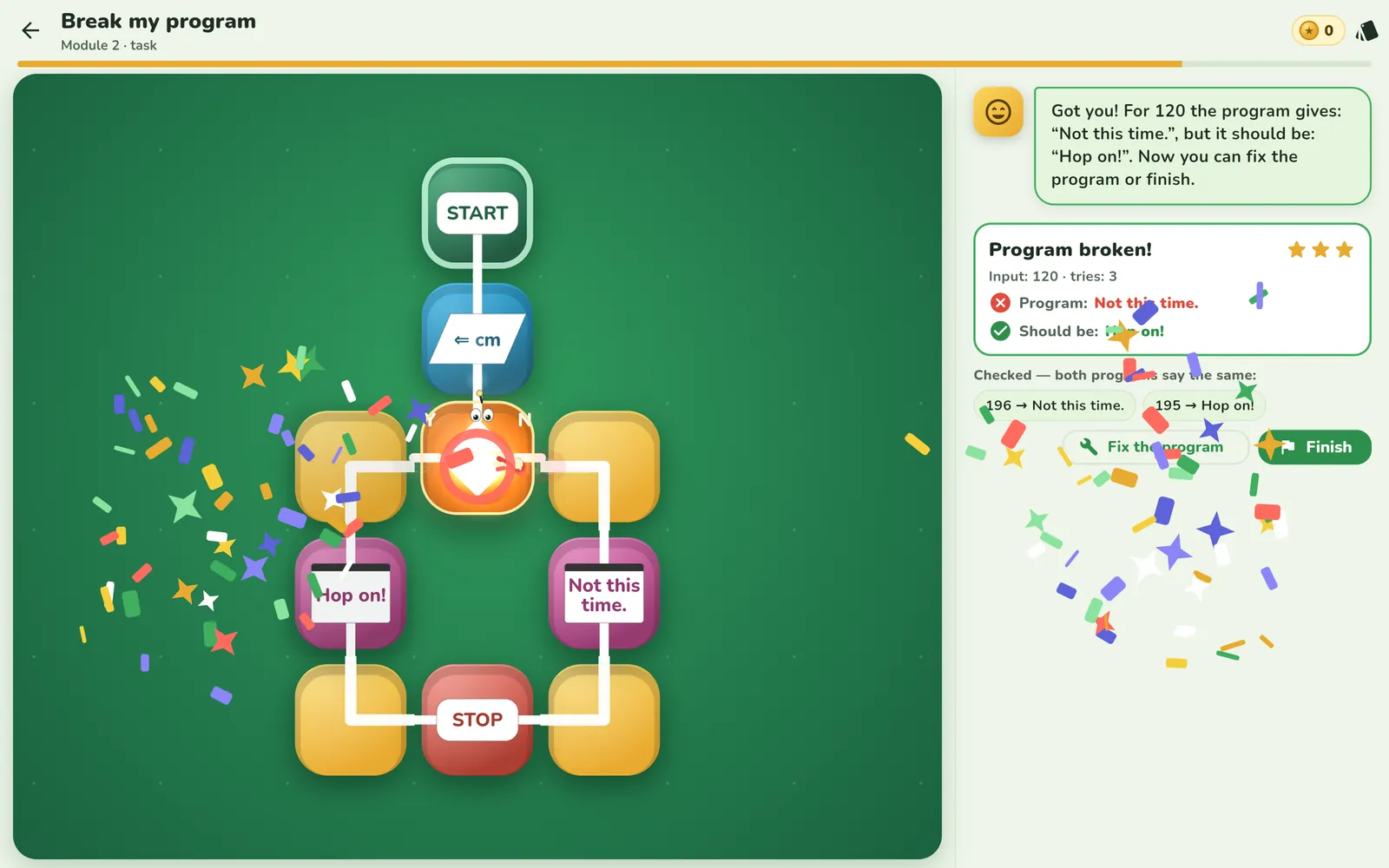
Input: 195, 196… “Both programs say the same.” Keep looking.
“Got you! For 120 the program gives: »Not this time.«, but it should be: »Hop on!«”
Input: 120. “Got you!” The program says “Not this time.” when it should say “Hop on!”.

Understands how a machine learns

Byte guesses, gets it wrong and adds a question.

In the break game “Guess what I'm thinking of”, Byte asks YES/NO questions. When he gets it wrong, he asks what makes it different and adds a new diamond to the flowchart himself. The child sees that this kind of “artificial intelligence” is also an algorithm, just one built from examples.

Maths you can see

Recursion, statistics and compression on one board.

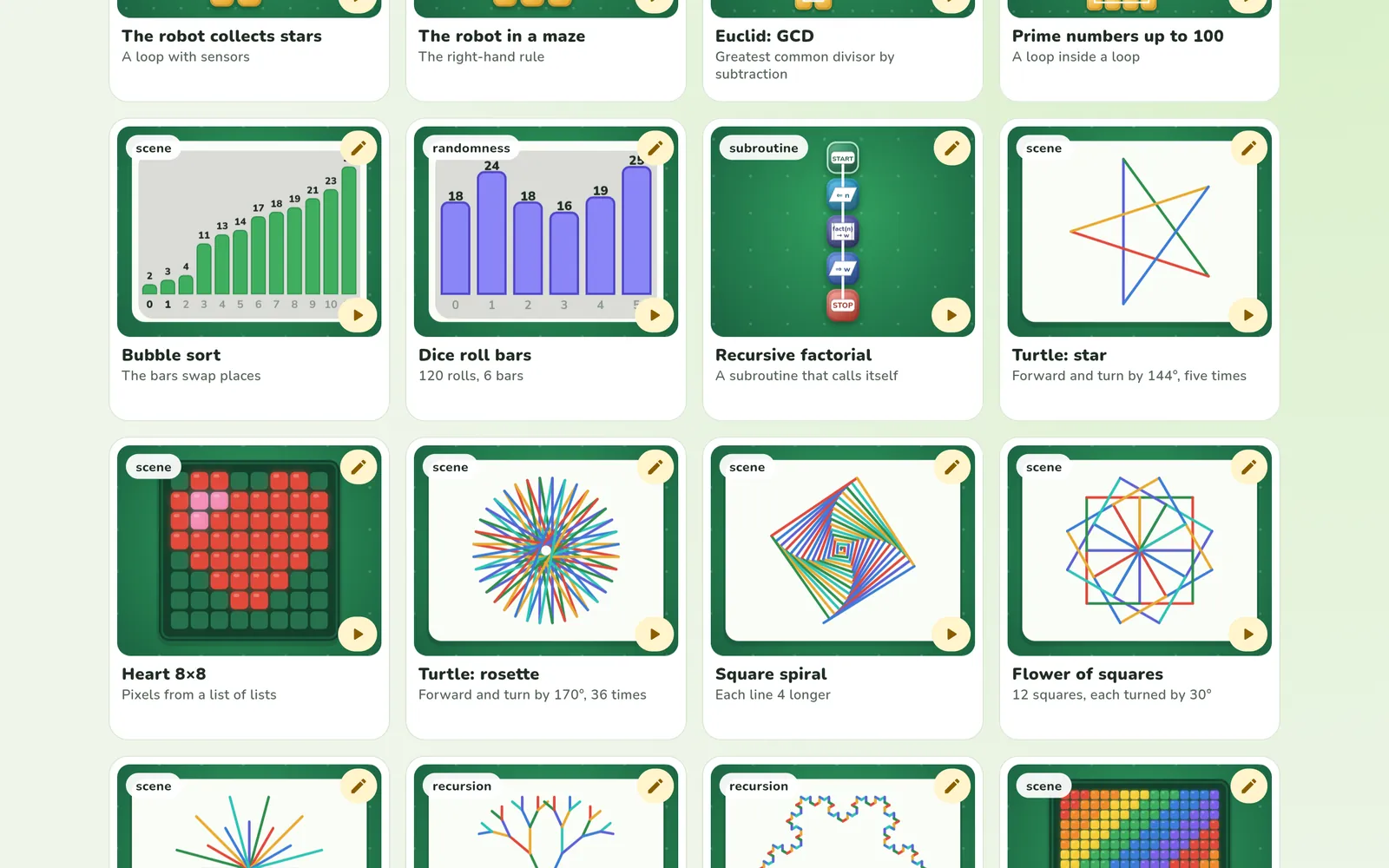
Fractal treeA branch calls two smaller branches. 1 trunk + 2 + 4 + 8 = 15 lines, while the call stack grows alongside.
1000 dice rollsOne roll is a surprise. A thousand rolls give almost equal bars, each close to 1000 / 6.
CompressionA heart from 13 numbers instead of 64 lamps. Fewer numbers, same picture.
Blockton platform: Byte greets Olek, next to the “Hop on!” button and the Little Railway route

Why a story

A reason to come back tomorrow.

Blockton wants its little railway running again, and every lesson fixes something. The world works exactly like the blocks, so the story doesn't distract from learning, it explains it.

Byte helps, he doesn't do it for youHe gives hints and learns too, but the child lays every track.
A bug is Glitch's prankNever the child's fault. The switched points just need finding and fixing.
Switchdecision
Roundaboutloop
Wagon with a signvariable
Sidingsubroutine
Practises in the breaks

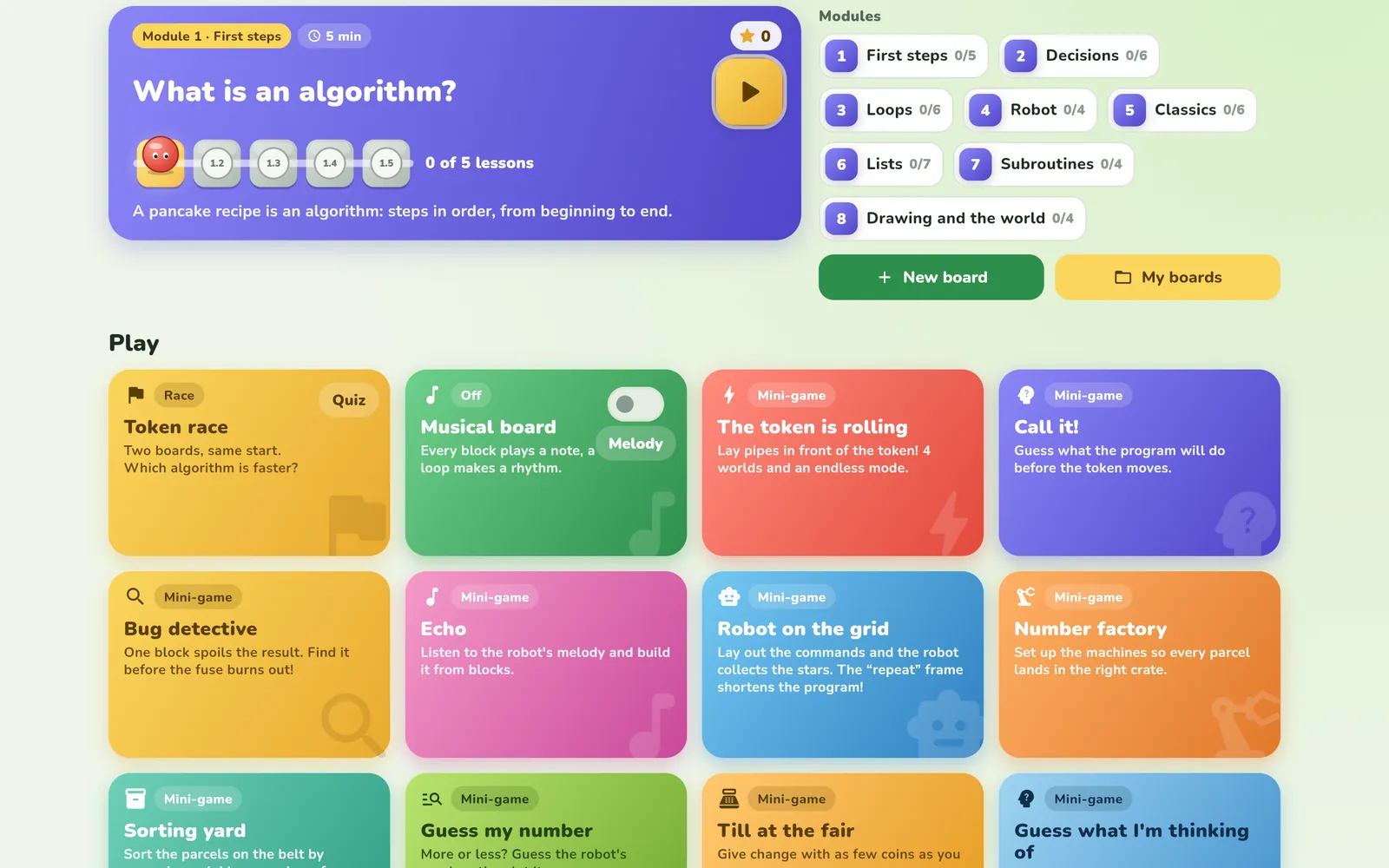
Every mini-game trains one idea.

A break lasts 1–3 minutes and sits on the map right after the lesson it belongs to. Parents set a daily limit.

Level map Level 1-1: first pipes Bump! The token ran into an empty tile

The token is rolling: the track has to be planned before the token gets there.

Grows with the child

From first grade to secondary school.

Parents pick a track by age. Younger children ride along with a story and pictures, older ones get the full course and Python code. Those who know the basics can start further on: a placement test lets them skip modules they already know.

LLittle Onesgrades 1–3
three routes: Little Railway, Autumn Fair and Trip to the seaside; tracks, switches, roundabouts, a clock, a first block of their own and a dice; plus adding, subtracting, rhythms and money along the way
EExplorersgrades 4–6
variables, conditions with “and” and “or”, loops with counters and sensors, debugging with the Magnifier and testing programs
BBuildersgrades 7–8
classic algorithms, lists, sorting, binary search, their own subroutines, recursion and fractals
HHigh School16+
the whole course at the student's pace, story optional
AAdulthobbyists
every lesson unlocked, no story
LessonWhat it teaches
a condition with “and” and “or”
testing: inputs the program gets wrong
a general algorithm: the right-hand rule
a decision inside a loop, tracing variables
randomness and statistics in a list
throwing away half at every step
recursion: two calls to itself
fewer numbers, same picture
recursion you can see in a drawing
Pupils plan projects “by describing algorithms in words, graphically, and using block-based programming apps”.Poland's new core curriculum for grades 1–3 (Dz.U. 2026 item 378), computing education — our translation
  • The lessons for the youngest practise exactly that: an algorithm as a route made of blocks, and a robot on a route.
  • Along the way, curriculum maths: adding and subtracting, comparing, counting in 2s and 5s, rhythms, money.

A bridge to real code

When it's time for Python, they already know the algorithm.

The GCD board next to the code panel

This is how Looponi writes the same board in Python. The current line lights up together with the token, so the code reads like a route the child already knows.

A reward for progress

Every module unlocks a new look.

Eleven board styles: chalk on a blackboard, video-game pixels, neon, and the newest, Model railway, with wooden tiles and a little smoking engine. Same program, new fun.

For parents

It helps, but never solves it for the child.

Hints in steps

For older children, the tutor first asks a question, then points to a tile, and only then gives a fragment. Never the whole solution. The youngest don't have it at all.

questiontilefragment

Never the word “wrong”

A mistake ends with a hint about what to fix, not a penalty.

Parents decide

The age track, the child's name, the daily play limit and reviews. Settings are protected by a PIN.

Works offline

Lessons and boards work offline. Only the tutor and the cloud need the internet.

A guide for parents

How to teach coding at home.

All guides →

Frequently asked questions

What age is Looponi for?

From first grade, when a child starts to read. The youngest get the Little Ones track with pictures, older children a course that goes all the way to recursion and Python, and adults can unlock every lesson at once.

Is Looponi free?

Yes. No ads and no in-app purchases.

What does it run on?

Android phones and tablets, and in the browser. Lessons and boards work offline.

Do I need an account?

No. Lessons, mini-games and boards work without an account. An account is useful for saving boards to the cloud.

Which languages is Looponi in?

Polish, English, German and French. Narration is in Polish only.

Does it fit with school?

The lessons for grades 1–3 practise what Poland's new core curriculum asks for: algorithms in graphic form, block-based programming and a robot on a route.

All aboard

Get on at your own station.

A program run on a phone