What age to start teaching a child coding and algorithms
When to start learning to code: what a five-year-old, a seven-year-old and a ten-year-old can do, where to start at each age and when the time comes for Python.
Updated:
There is no single right age to start learning to code. There is a right order, though: step-by-step thinking first, then blocks, and code last.
Ages 5–6: unplugged games
At this age, order is enough. The child steers a parent playing the robot (“step forward, turn round”), arranges pictures showing the plan for the day, repeats a rhythm. They learn that commands have to be precise, and that changing the order changes the result.
Ages 7–9: first algorithms in pictures
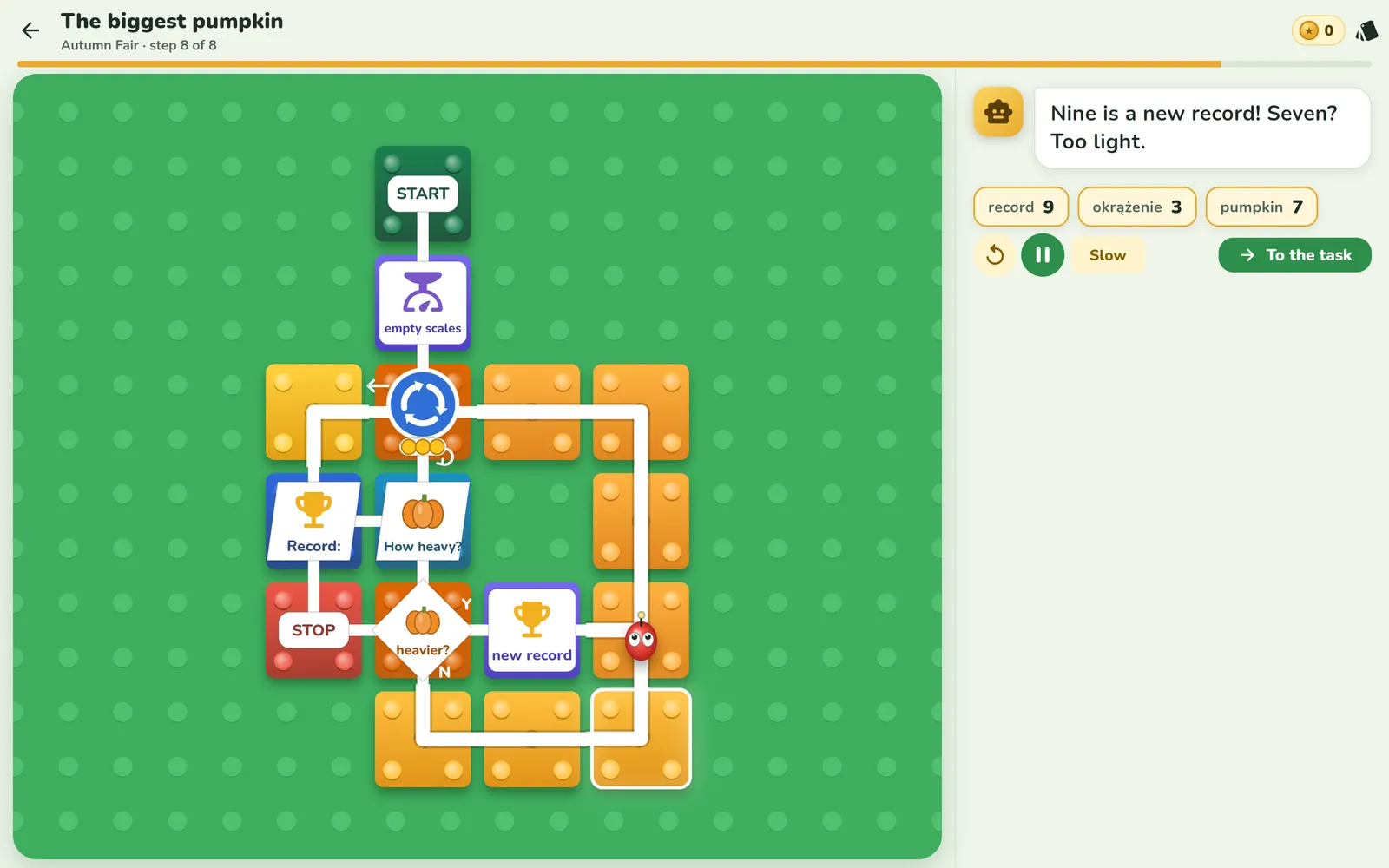
Once the child starts to read, they can already build simple programs: a sequence, a YES/NO decision and a loop with a set number of repetitions. It matters that they see what the program does at every step. In Looponi this is the Little Ones track for grades 1–3, with pictures and a narrator. In the lesson “The biggest pumpkin” the child builds a maximum-finding algorithm, with a loop, a decision and a variable.
Ages 10–12: variables and conditions
Now come variables, conditions combined with “and” and “or”, loops with a counter and deliberate bug hunting. The child can predict a program's result before running it, and check where they went wrong.
Age 13 and up: classic algorithms and code
Older pupils are ready for lists, sorting, binary search and recursion, and then for writing the same thing in Python. If the ideas are already understood, Python is just a new notation.
How to tell that a child is ready
- They can explain, in order, how to do something.
- They like puzzles and ask “what if…”.
- They can stay focused on one task for a few minutes.
If so, you can start. Short and regular: a few minutes, several times a week.
Frequently asked questions
At what age can a child start learning to code?
Games about putting commands in order can start at about age 5. Learning in an app with real ideas, such as loops and decisions, is worth starting at about age 7, when the child begins to read.
Will a 7-year-old understand a loop?
Yes, if they see it in action: as a path that turns back, with dots that count the laps. The name and the notation can come later.
When should we start Python?
Usually at about 12–13, once the child understands loops, decisions and variables and types comfortably on a keyboard. Before that, blocks and flowcharts work better.
Is it too late if my child is 12?
No. An older child gets through the basics faster, because they already know the maths needed for variables and conditions.